atc Example
atc is a live map of the air traffic over the Pacific Northwest, with an assistant that answers in the app's own React components. It's Hashbrown's flagship example, and it's built twice, in Angular and React, on one shared core.
The hosted app at atc.hashbrown.dev is the Angular version; the React version is the same app, and it runs locally (see Run Locally). Or read the source.
Build around application-owned data
An assistant can help a user navigate an existing application without replacing its data model or interface. Expose a small set of read operations, render results in trusted components, and keep actions such as selection and filtering in application code.
Here the domain is live air traffic. A tool searches aircraft already loaded by the application, and a component displays a live aircraft reference. In your app, the same design could use an inventory record or support ticket. Start with Tools and Generative UI for reusable implementations before reading the complete ATC source below.
One turn can include a tool round trip
- User request
A message starts a run with the available tool contracts.
- Tool call
The model requests a named tool with schema-shaped arguments.
- Tool result
Your handler checks the request and returns application data.
- Continuation
The model uses that result to continue the same turn.
Three Steps
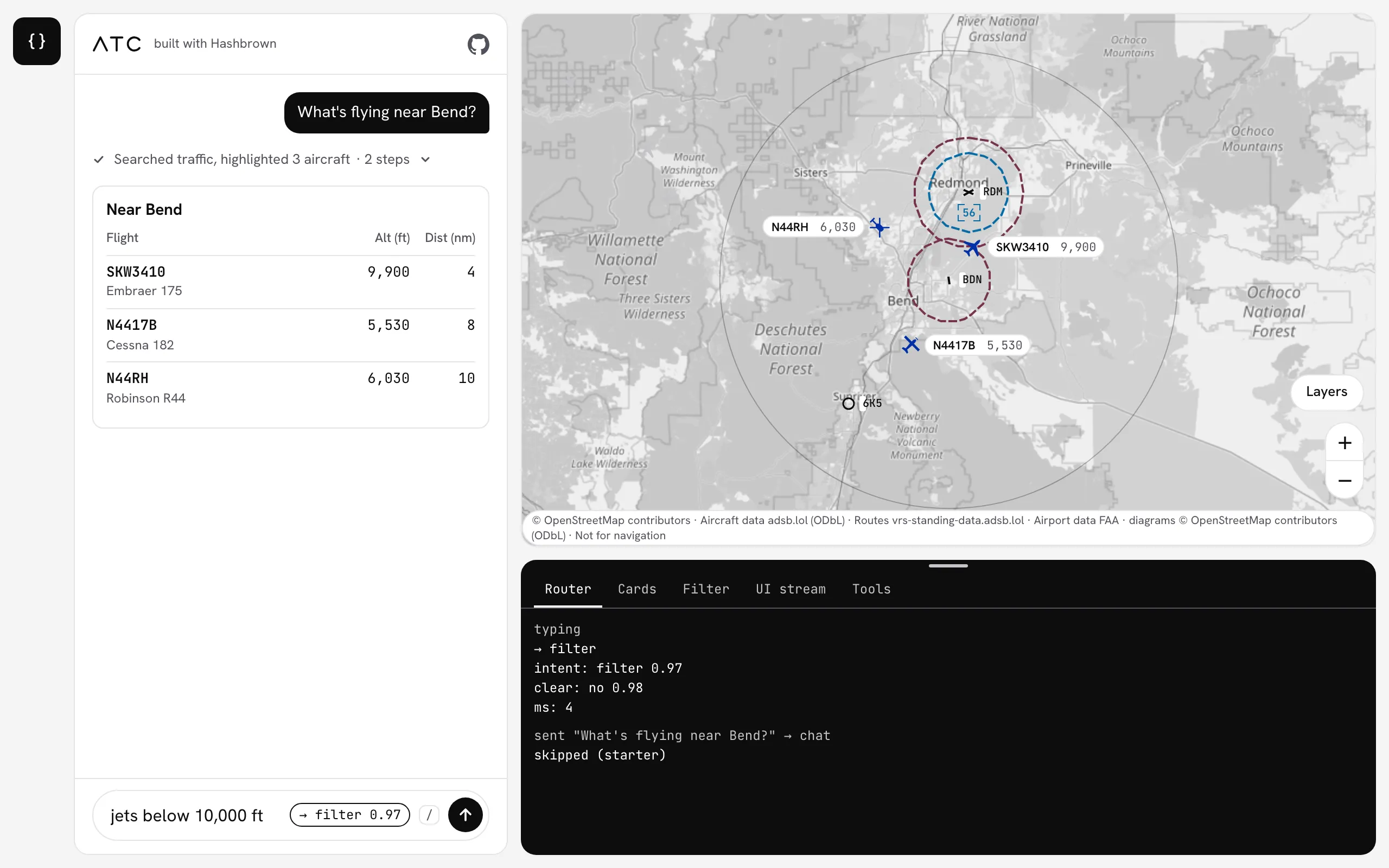
atc shows Hashbrown in three steps. You type into one composer, and a badge shows where Enter will send the text.
- Decide. A TypeSafe Jev decision routes what you typed: to the map filter, to clearing the filter, or to the chat. For a chat message, a second decision picks which cards fit.
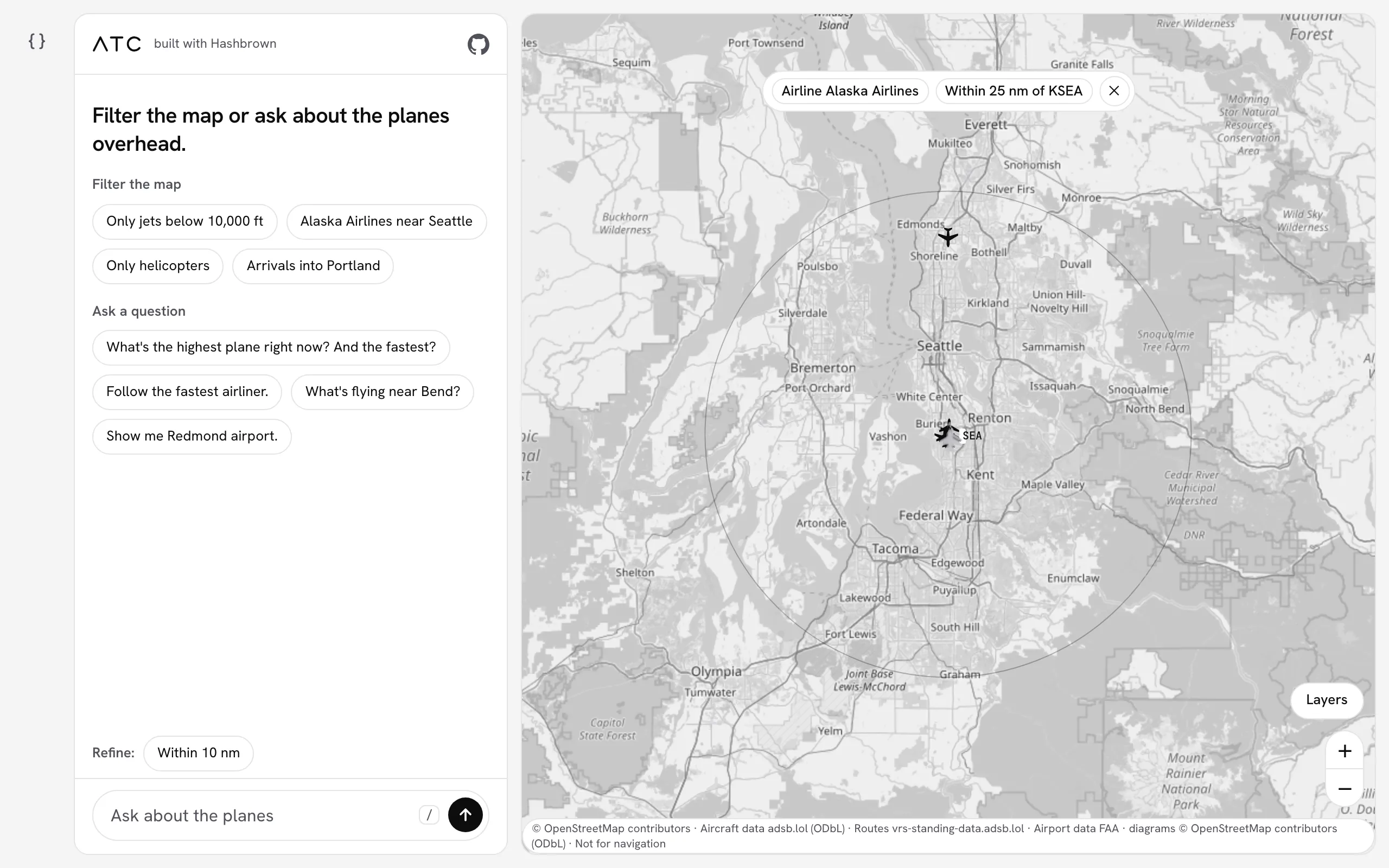
- Filter. A structured completion streams a map filter into a pill of chips. The filter is app state, so the map dims every plane it hides, and a "Refine:" row offers ways to narrow it.
- Generate. A question goes to the chat, which calls tools in the browser and answers with Markdown and the app's own cards.
Here's a filter, "Alaska Airlines near Seattle", applied to the map:
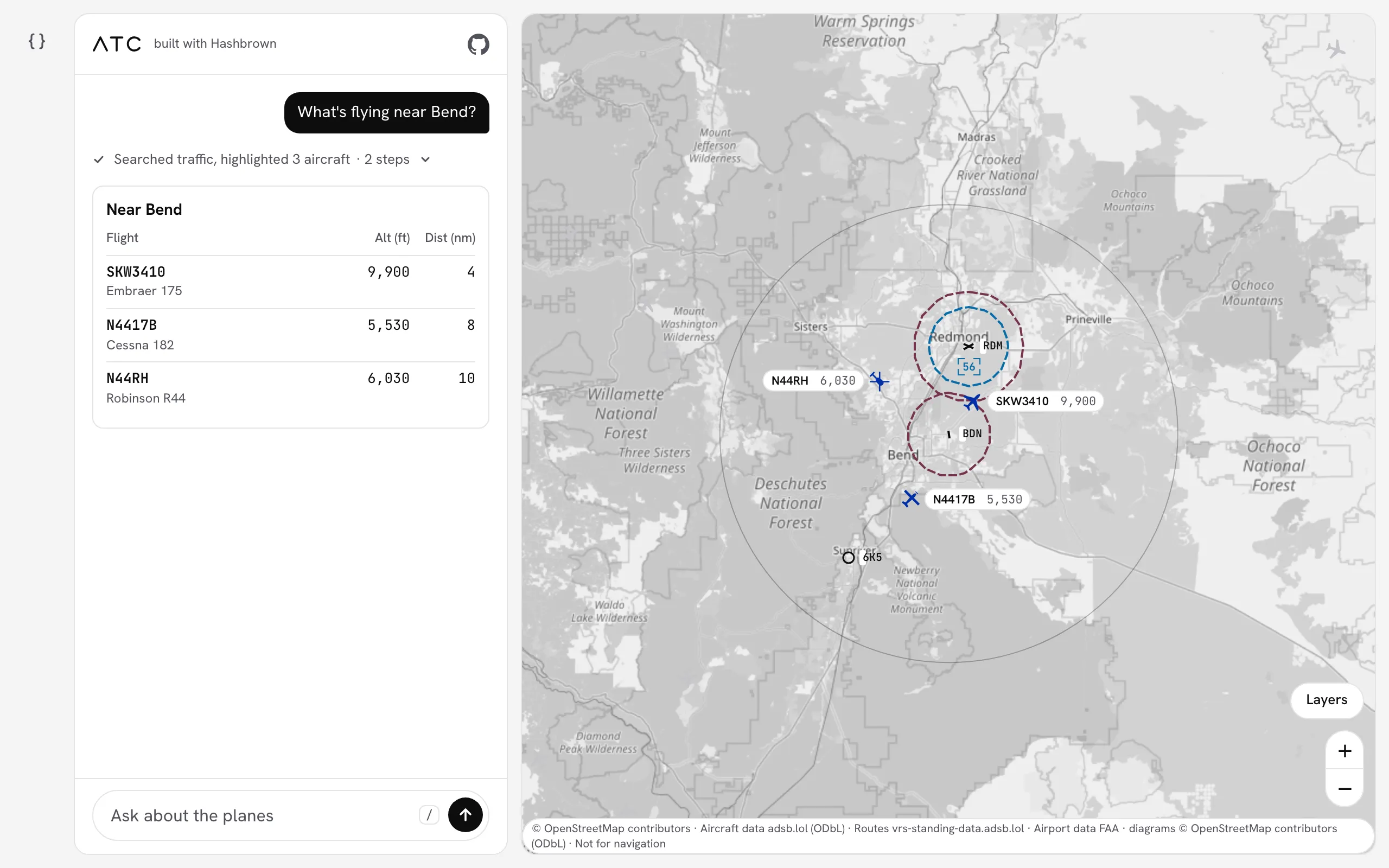
And here's the answer to "What's flying near Bend?": an arrivals board, with the same planes highlighted on the map:
The Developer Drawer
Press the { } button on the rail to open the developer drawer under the map.
It shows each layer's JSON as it arrives for the newest send, in five tabs: Router, Cards, Filter, UI stream and Tools.
Dev mode is off on a first visit, and the choice is remembered.
What to Look For
The core file, examples/atc/react/src/assistant.tsx, is organized into the same numbered steps as its twin in the other framework.
A few things to note:
- Your components, not generated HTML.
exposeComponentlists every component the model may use, with a Skillet schema for each of its props. - Fields that must arrive whole do. A card's aircraft ID is
s.string, so a card never shows a half-written ID. Its note iss.streaming.string, and it streams in. - Tools run in the browser.
useToolwraps functions that search, highlight and follow the aircraft already on the map. The plane list never goes to the server. - The chat streams UI.
useUiChatrenders only the components you exposed, and the cards keep updating after the answer finishes. - Decisions route and narrow.
useDecisionroutes typed text inrouter.ts, anduseUiDecisionpicks the cards for each chat message. An unsure or failed decision never blocks a send. - A filter is structured output.
useStructuredCompletionstreams the map filter infilter.tsx. - The server pins the model routes.
/api/run,/api/filterand/api/decideeach fix their prompt or questions, schemas and output cap. Securing a public endpoint shows how.
Run Locally
git clone https://github.com/liveloveapp/hashbrown.git
cd hashbrown
nvm use
npm ci
Add OPENAI_API_KEY=... to the .env file at the root of the repository.
TYPESAFE_API_KEY is optional: without it, everything you type goes to the chat.
Then, start the server and the app in two terminals:
npx nx serve atc-servernpx nx serve atc-reactOpen http://127.0.0.1:4342/react/. The README has the rest: every variable, a tour of the code by step, hosting and troubleshooting.
Explore it in the workbench
ATC combines multiple features in a full application. The canonical workbench separates those features into focused lessons using one plan. Open Tools to follow a read and continuation, Generative UI to inspect component props, and Decisions to observe a whole choice.
Compare the application-owned aircraft data and actions above with the workbench's application-owned plan and explicit acceptance. The domain changes; the boundary between model output and application behavior stays visible. Both teaching tools offer inspection, but their request traces and recordings belong to their own runs.